End of Abyss spawns random invisible walls and a map that marks open doors as locked. What each bug looks like and how to get past it.
End of Abyss Invisible Wall and Map Bugs: How to Unblock
If Cel refuses to move in a corridor you already walked through, that was a real bug in End of Abyss's launch builds, not a mistake on your part. IGN's reviewer hit invisible walls that stopped them dead on a ladder or sealed off the route back to the room they had just left, and each one forced a restart from the previous checkpoint and cost 10 to 15 minutes. The map half was patched within days of release; the wall half is what still costs you the walk back. Exactly one failure mode in the launch reports genuinely required quitting and reloading — a door that never offered its Open prompt — and everything else has a cheaper fix.
The four ways invisible walls actually show up
| What you see | Who hit it | What it cost |
|---|---|---|
| Cel stops partway along a ladder, nothing visible in the way | IGN | Checkpoint restart, 10-15 minutes |
| A doorway blocked by a barrier that is not rendered | Push Square | One of several stacked launch bugs |
| Cel stuck inside walls, once fell out of bounds entirely | Game Informer | Run broken, no workaround |
| Arena geometry breaks after a boss dies and Cel cannot leave | Push Square | Backed out of the game, refought the boss |
The ladder case is the expensive one because the wall appears on the return leg: a shortcut you already earned becomes a dead end, and since the open path is behind you, the only way out is the long way or the pod.
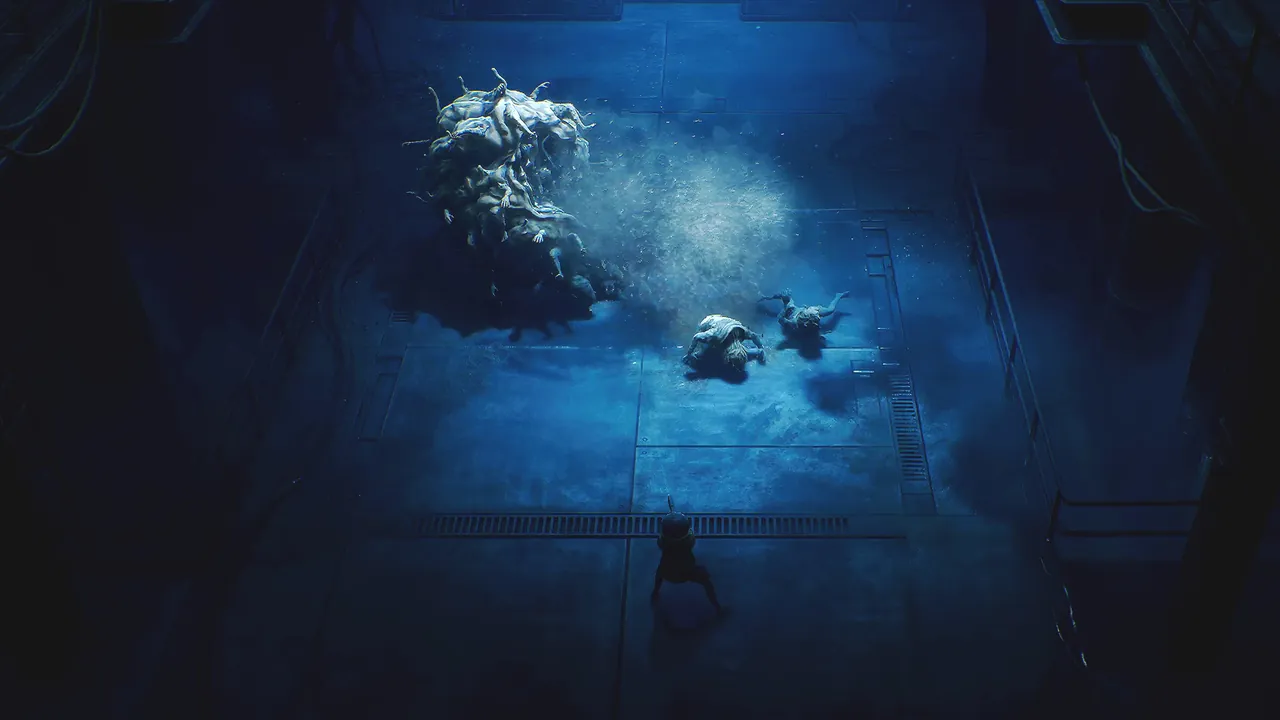
Official End of Abyss artwork, and the problem in one frame: "that route is blocked" and "you are facing the wrong wall" look identical.
The after-boss case shares the symptom but not the fix. The arena is broken, not the corridor, so the fight itself becomes the reload trigger — see the named boss reference.
Three ways the map lies to you
| What the map shows | What is actually true | Source |
|---|---|---|
| A door you opened still carries a lock icon | The door is open | Push Square, GameSpot |
| A door you hold the key for has no "come back later" icon | The reminder never appears | GameSpot |
| Landmarks missing from the schematic | The marker was dropped | Game Informer |
| A lock icon on a door standing wide open | Nothing is blocking it | GameSpot |
GameSpot's diagnosis is the useful one: these are visual bugs only. In their words, "I could still open a door if I had the right key, even if the map didn't tell me I could." The world was right and the icon was stale, so the door is the source of truth, the map icon is a suggestion.
Push Square also explains why the stale icon happens: you mark doors yourself — "you'll have to manually scan doorways and interactable objects to mark them on your map" — so a lock icon means "locked when I scanned it," not "locked now."
Game Informer's worst bug was not a wall: "some doors would fail to prompt me with the 'open' button, leaving me unable to enter until I quit and reloaded." That is the only case where restarting is the documented fix.
Bug or bad route: the sixty-second triage
- Scan the spot. The Scanner reads obstacles, ways past them, and which keys doors need; a doorway that refuses to scan where a door belongs is a geometry seam. More in the Scanner guide.
- Try the door anyway. Holding the key, walk up and press interact — GameSpot confirms the wrong icon never blocked the action.
- Check which floor you are on. Push Square hit waypoints "on a floor that you don't have any map for, because you've not found the station to download the schematics." Blank map is missing data, not a lying map. See the sector and floor reference.
- Re-approach from another angle, then from the far side. Cheap, and it separates stuck collision from a genuine dead end.
- Name your nearest Restoration Pod before you commit. Pods sit in safe rooms with a workbench.
Official source: End of Abyss on PlayStation Store — the official listing credits the Scanner with letting you "uncover hidden areas."
Do you need to reload, or just walk back?
| Symptom | Do this |
|---|---|
| Map says locked, door is open | Walk through. No reload. |
| Invisible wall on a ladder or return route | Backtrack to the last pod and reload. Budget IGN's 10-15 minutes. |
| Stuck in the arena after the boss dies | Reload and redo the fight. Push Square had no other exit. |
| Door with no Open prompt | Quit and reload. The one confirmed case. |
| Enemies that will not stay dead | Touch a Restoration Pod; GameSpot notes enemies reset there and GamingTrend that they respawn when you save. |
A reload rewinds you to the pod, not the session start. Game Informer put the cost plainly: "you save frequently to heal, so resets don't erase much progress." The asterisk is ammo — GamingTrend reports no death penalty, but "any consumable items such as ammo or explosives you used before death will not replenish, meaning you must craft more." Reload at a safe room, where the workbench is. More in the difficulty and death penalty page.
What is by design, and will never be a bug report
- Manual scanning. Doorways appear on the map only when you scan them.
- Dark rooms. GamingTrend lists "easy to miss crucial objects in the dark" as a con, warning that unlit parts hide levers unless you scan on entry.
- Waypoints with no floor plan. A schematic covers one floor, and the objective marker does not wait for you to find it.
- Keycard warnings for a card you do not have yet.
- Transit that reaches most zones — IGN's own phrasing. Which areas stay walk-only is in the shuttle station list.
- A missing lever. GamingTrend lost a necessary one "for an embarrassingly long time" in a game that never says it exists. That is progression, not a bug; causes are in the stuck and cannot progress guide.
Is it fixed yet, as of 2026-10-03?
Partly, and the record is thin. GameSpot's review said the map problem was still live when they wrote it, though a patch landing just before their final boss had cleared other issues; their follow-up then reported a patch fixing it roughly a day after launch, hitting only launch-day players. Game Informer, playing retail on 2026-10-02, had already pulled multiple patches with some issues resolved.
We found no public patch-notes page and no version number for any of these fixes. Every "it is patched" claim above is a reviewer's report, not a changelog, and none name which invisible-wall cases were addressed. Treat a wall you hit today as live.
The reporting side: there is no in-game report form and no public changelog, so the channels are the store you bought through — Epic Games Store on PC, PS5 or Xbox — and Section 9 Interactive's official site. Include the sector, floor and a clip.
FAQ
Is the invisible wall in End of Abyss a bug? Yes. IGN, Push Square and Game Informer independently reported invisible walls or barriers in launch builds, with IGN's on ladders and return routes and costing checkpoint restarts.
The map says a door is locked but it is open. What do I do? Walk through it. GameSpot confirmed wrong icons were visual only. A lock icon tells you what the door was when you scanned it.
Do I lose progress when a bug forces a reload? You rewind to the last Restoration Pod, a small loss because you save often. The real cost is crafted ammo, which does not come back on its own.
Is there a way to make the map show the truth? Not fully. Scan doorways and interactables as you go, but a door marked while locked keeps its stale icon.
Was all of this patched at launch? The map-icon problem was reported fixed by a patch roughly a day after launch. No changelog names the invisible-wall fixes.
Sources
Quotes are from IGN's review (Jesse Vitelli, 2026-09-30), GameSpot's review and its first-patch follow-up, Push Square's PS5 review, Game Informer's review (Charles Harte, 2026-10-02) and GamingTrend's review. IGN, Push Square and GamingTrend played pre-release or early publisher copies. All of it reflects those outlets' reports as of 2026-10-03, and PC players get the game from the Epic Games Store only.
More End of Abyss Guides
Every End of Abyss area and floor in one table: Outer Sector, Habitation, Factory East and West, Waterworks, Containment Sector, Lower Levels.
End of Abyss PC is Epic Games Store only. How to install and run it, which settings actually exist, and the answer on co-op and Steam.
End of Abyss scored 8, 90 and 6 across Shacknews, GamingTrend, GameSpot and IGN. What they all agree on, where they split, and who should skip it.
The End of Abyss scanner is on the d-pad and it gates progression: it reveals Energy Nodes that open locked doors, hidden paths, and the map itself.
The exact End of Abyss progression chain: three power cores, three SCU overrides, the Central Elevator to Lower Levels, and every keycard on the way.
End of Abyss never explains itself. Who Cel is, why she was sent underground, and what the parasite, the crew and the notes actually tell you.
Missing a lever you already walked past? End of Abyss buries progression in dark multi-floor rooms. A symptom-to-fix table for the common softlocks.
How End of Abyss Suit Power works, where Energy Cells raise it, and which Suit Mod you need to survive radiation. The gate is your suit, not your damage.